GroupEd's behaviour module lets you record, review, and manage student behaviour across your school. You can log positive achievements and negative incidents, view behaviour history by student, and monitor trends across classes. This guide introduces the Behaviour section and explains how to navigate it.
Getting to Behaviour
There are two entry points for behaviour in GroupEd:
Classroom → Students → student profile → Behaviour tab — for recording a behaviour against a specific student.
Pupil Support → Behaviour — opens the Behaviour Dashboard, a whole-school analytics view (you do not record behaviour here).
The Behaviour Dashboard
Navigate to Pupil Support → Behaviour. This opens the Behaviour Dashboard — whole-school analytics view with three tabs: Behaviour Dashboard, Behaviour Summary, and Trends and Alerts.
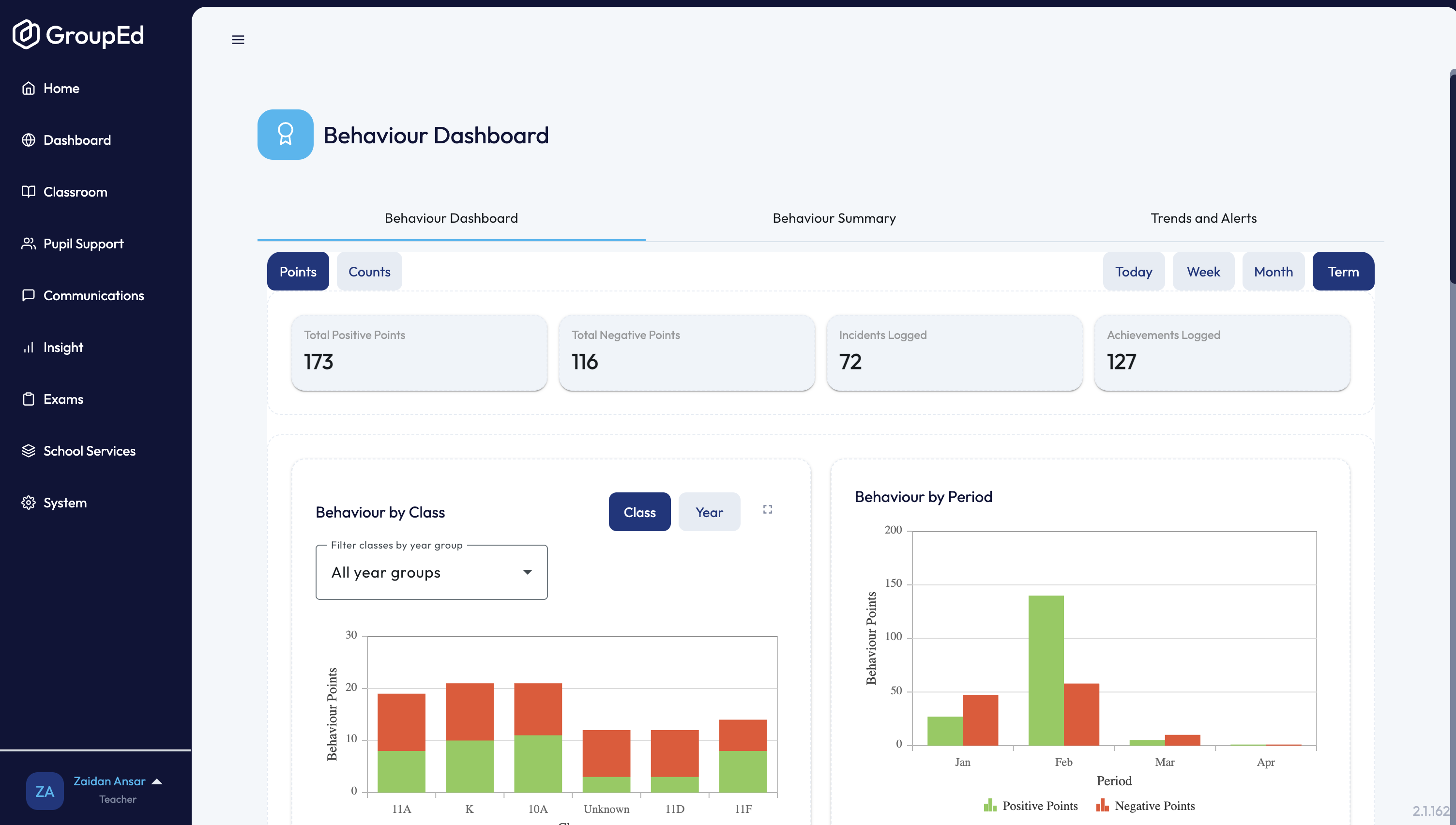
Use the toggles at the top to switch between Points and Counts, and between Today, Week, Month, and Term. The dashboard shows:
Total positive and negative points, plus counts of incidents and achievements logged.
Charts for behaviour by class and by period, top achievement and negative-behaviour students, severe incidents, ALN students, and behaviour-linked exclusions.
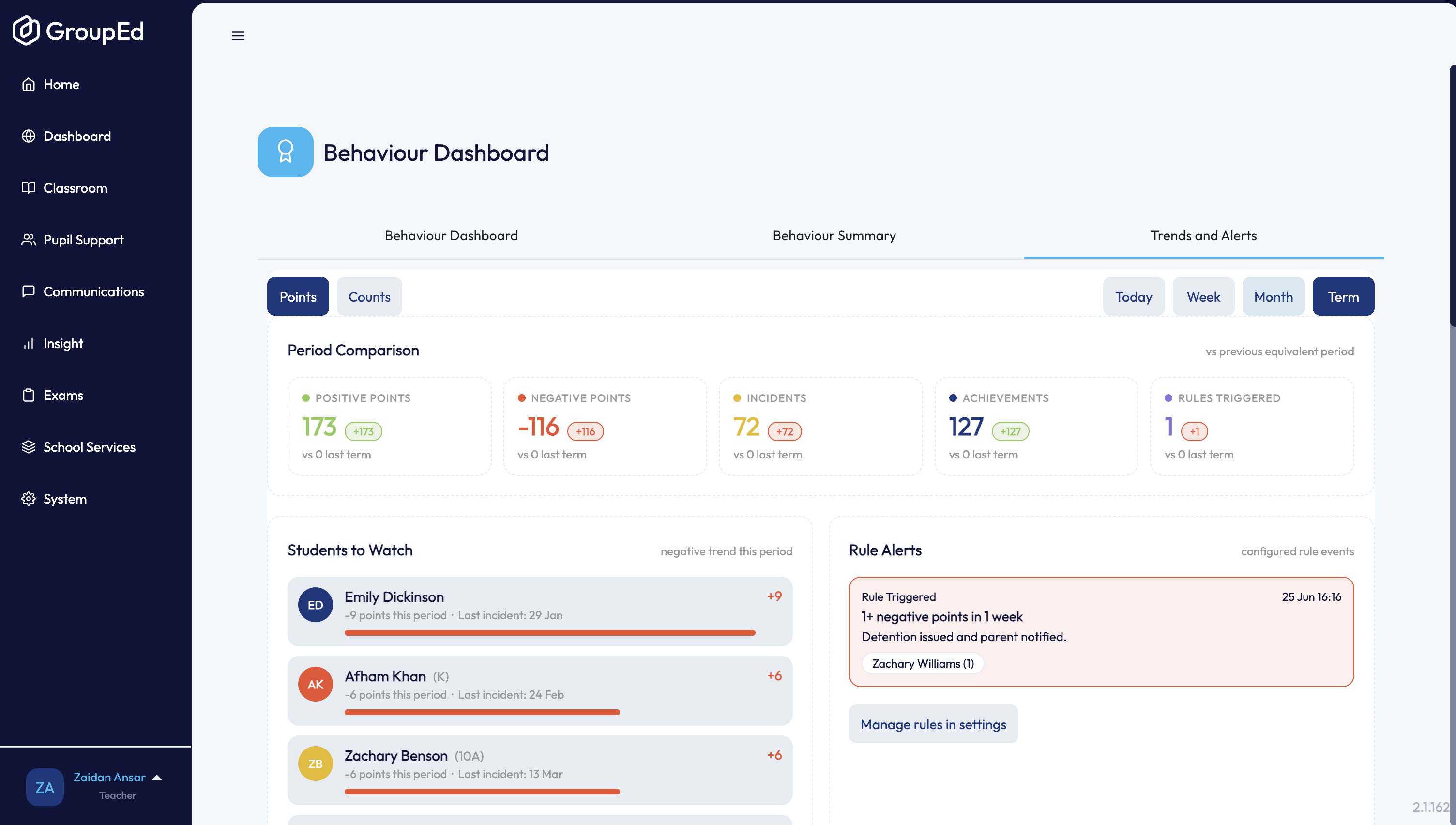
The Behaviour Summary and Trends and Alerts tabs give further breakdowns and flag students or classes that may need attention.
Recording Behaviour
Behaviour can be recorded in two ways:
From a student profile
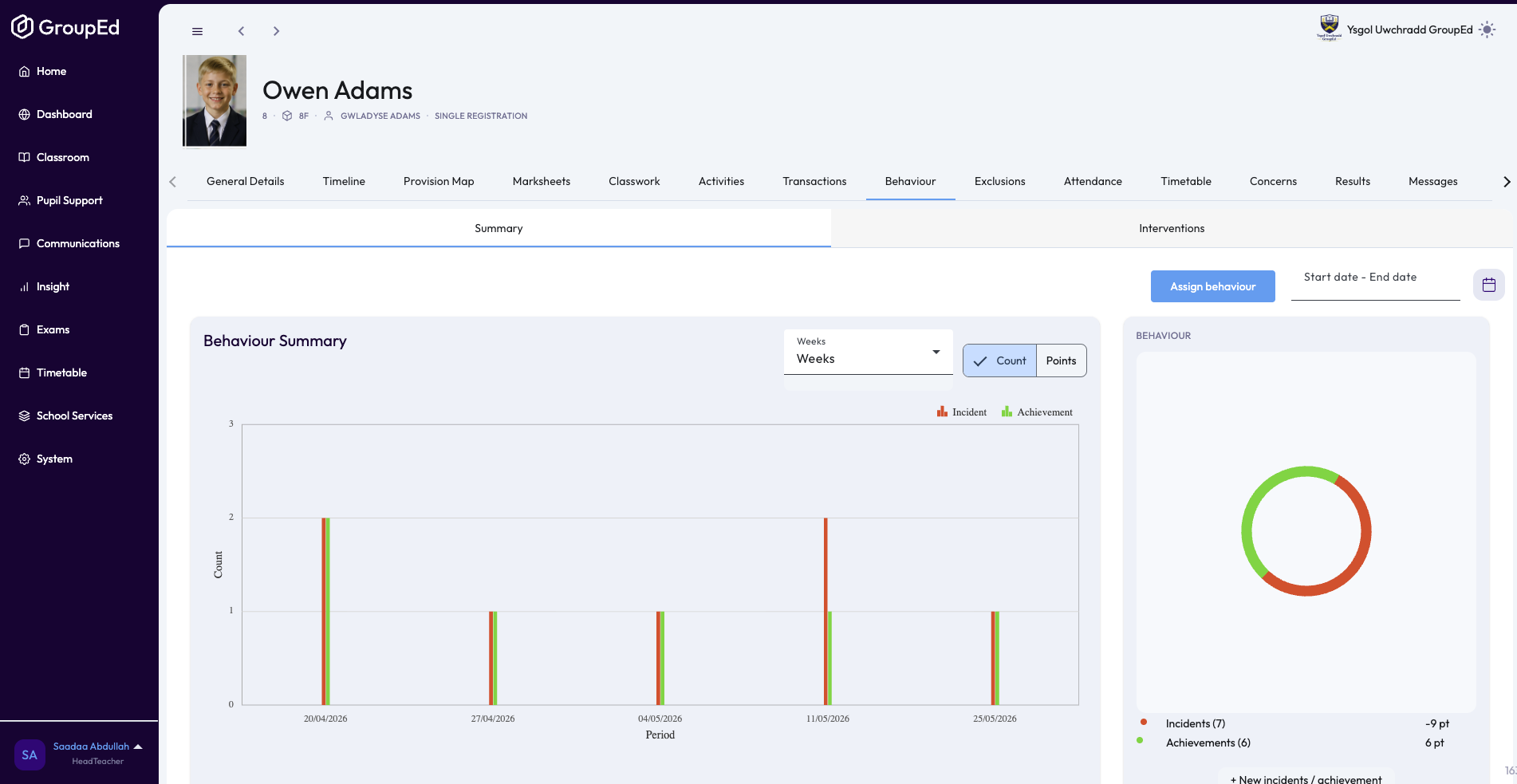
Navigate to Classroom → Students, find the student, open their profile, and click the Behaviour tab. Click Assign behaviour to open the recording dialog. See the Giving an Achievement and Reporting an Incident guides for step-by-step instructions.
From a lesson register
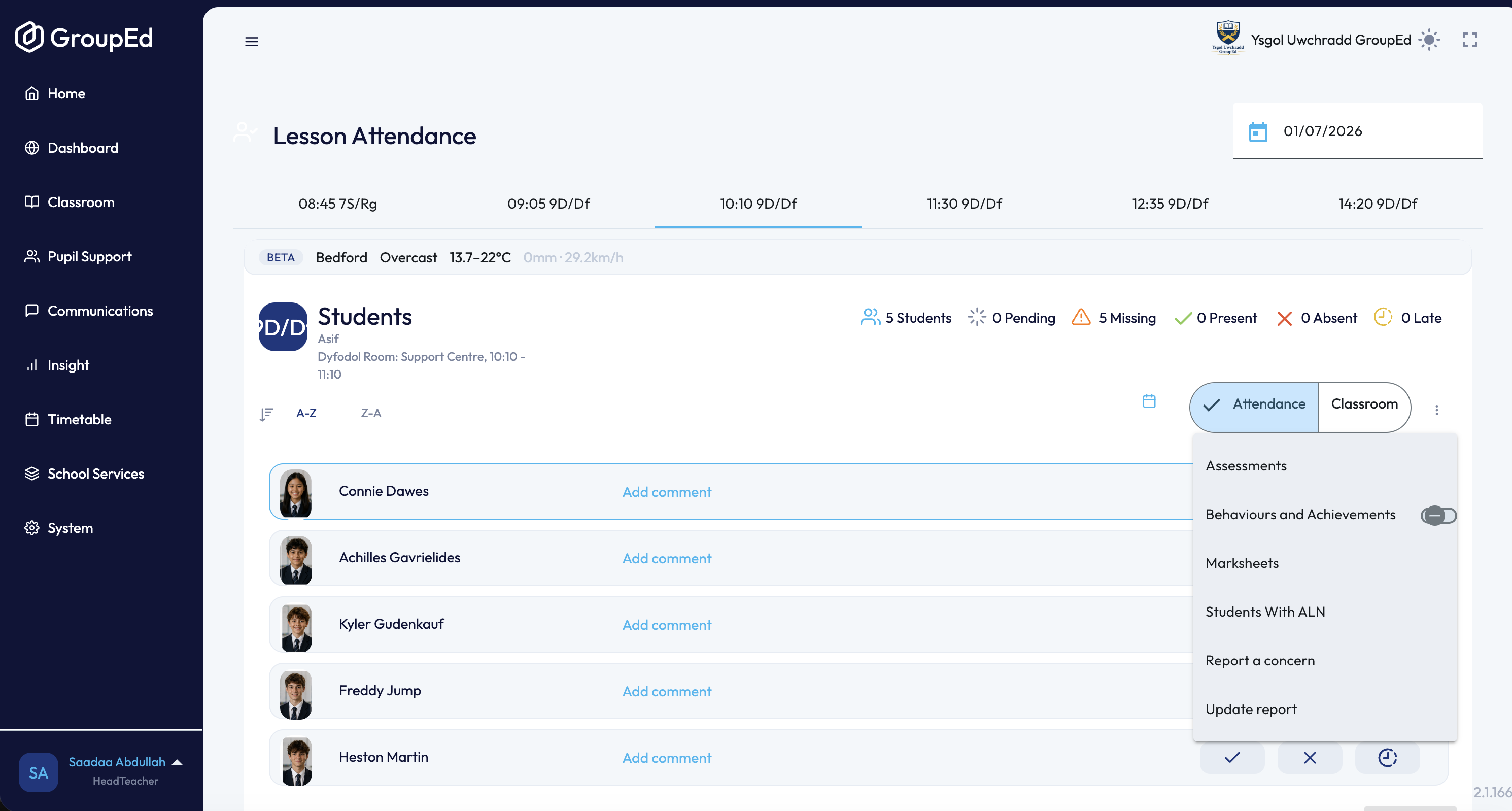
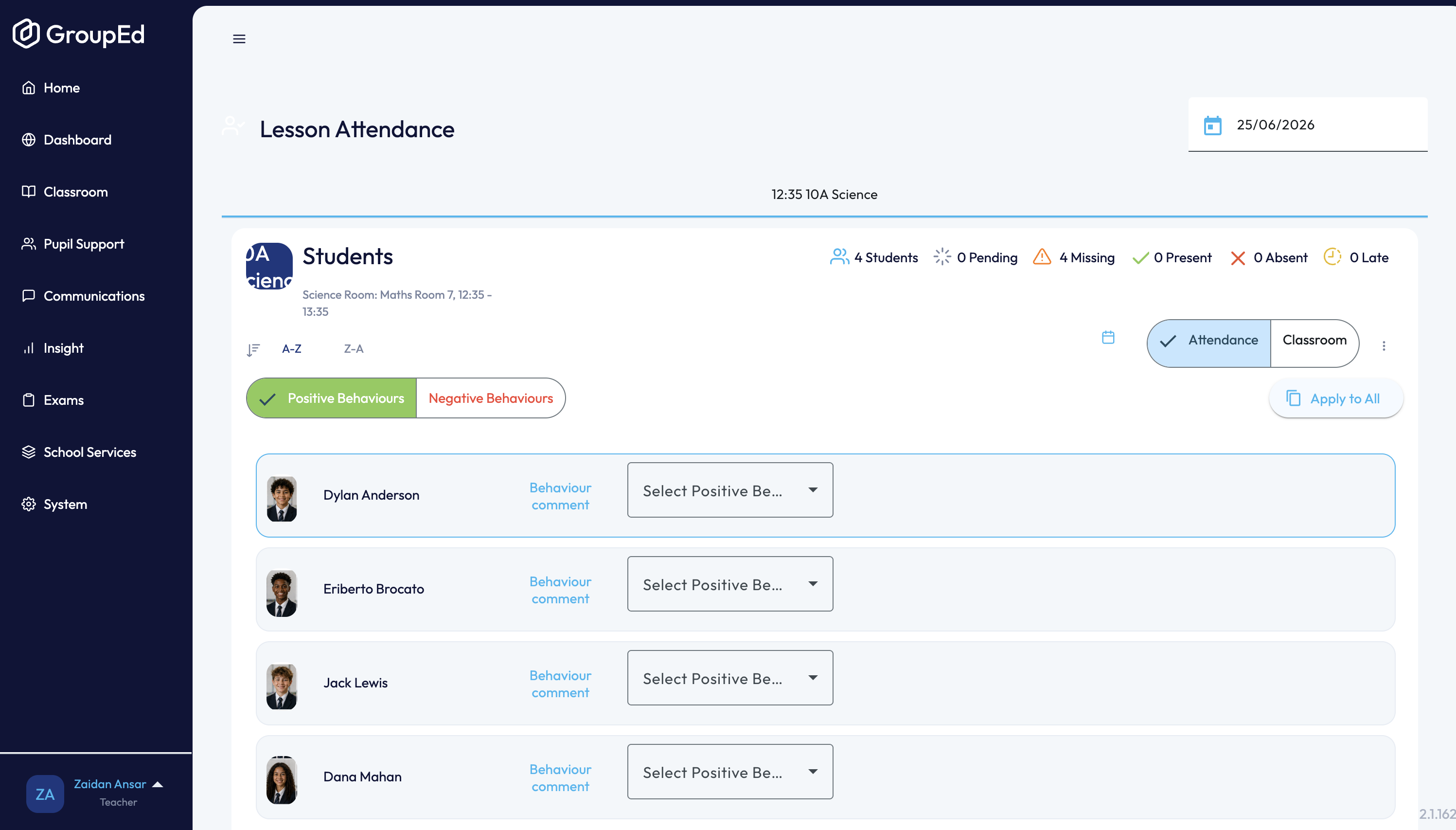
In Classroom → Lesson Attendance, open the lesson register, click the three-dots menu (⋮) next to a student, and choose to record a behaviour or achievement. Select the category, add a comment, and save.
Behaviour Categories
Behaviour events are grouped into categories configured by your school. When recording an achievement or incident, you select from the category options your school has set up. These may include labels such as Excellent work, Disruptive behaviour, or similar — the exact options depend on your school's configuration.
? Behaviour categories are configured in System → School Settings → Behaviour. Contact your GroupEd administrator if you need new categories added.
Points
Each behaviour category is assigned a point value. Positive categories add points; negative categories reduce them. Point values are shown in the behaviour details when viewing a record.
Related Guides
Giving an Achievement — step-by-step guide to recording a positive behaviour.
Reporting an Incident — step-by-step guide to recording a negative behaviour.
Viewing Behaviour Records — how to find and review behaviour history for a student.
Was this article helpful?
That’s Great!
Thank you for your feedback
Sorry! We couldn't be helpful
Thank you for your feedback
Feedback sent
We appreciate your effort and will try to fix the article