GroupEd's Concerns feature provides a secure way to log and manage safeguarding concerns for students. Concerns are stored within GroupEd and are only accessible to staff with the appropriate permissions. Each concern records a category, the student involved, a description of the concern, and any actions taken.
Concerns in GroupEd are designed to complement your school's existing safeguarding processes — not replace them. Always follow your school's safeguarding policy when raising a concern.
Raising a New Concern
Navigate to Pupil Support → Safeguarding.
Click + New. The concern form opens.
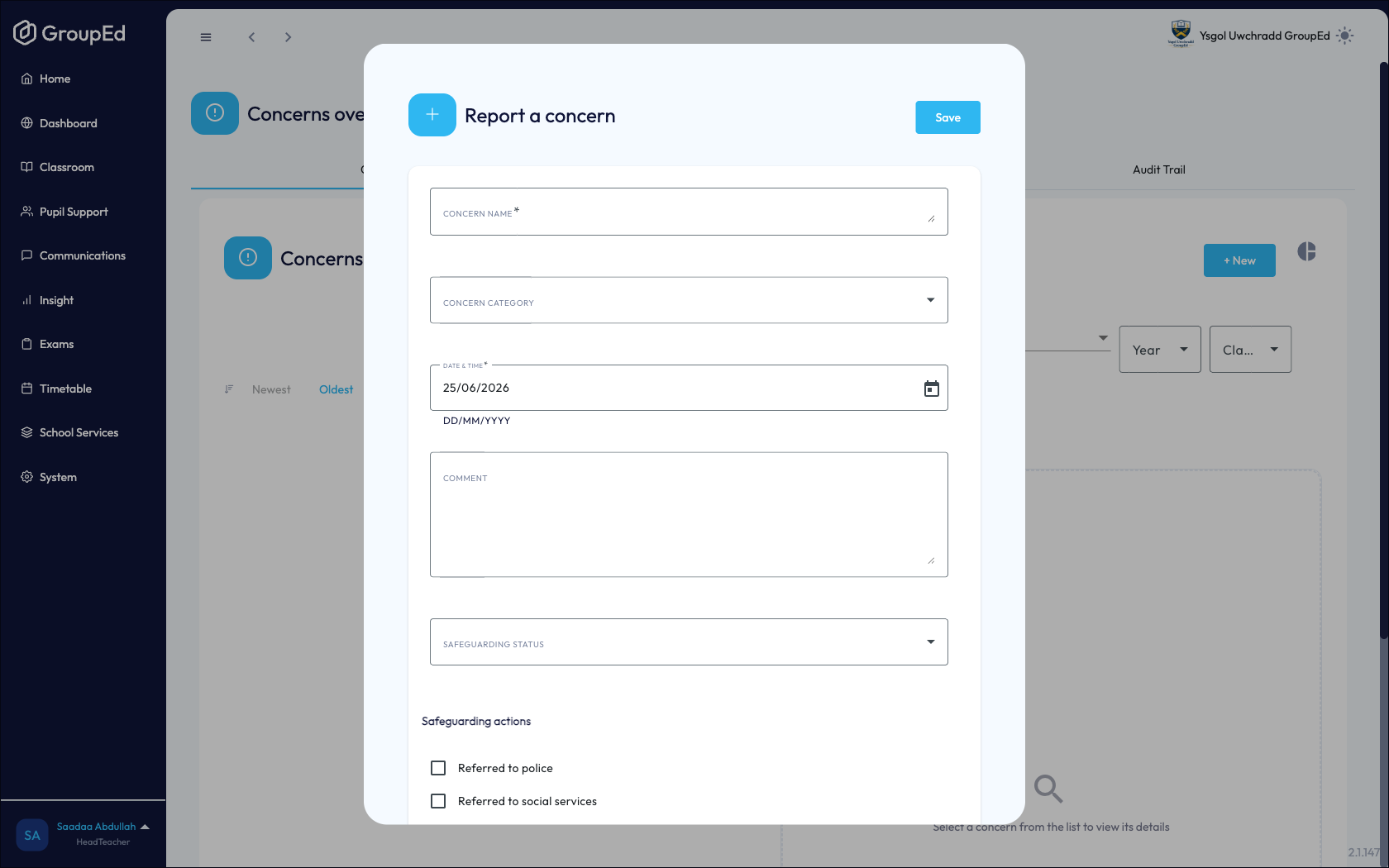
Search for the student and select them.
Select a Category for the concern, such as Welfare, Attendance, or Safeguarding.
Enter a detailed description of the concern in the description field.
Click Save. The concern is recorded and appears in the concerns list.
Viewing and Managing Concerns
All recorded concerns appear in the Concerns list at Pupil Support → Safeguarding. Each entry shows the student's name, the concern category, and the date it was logged.
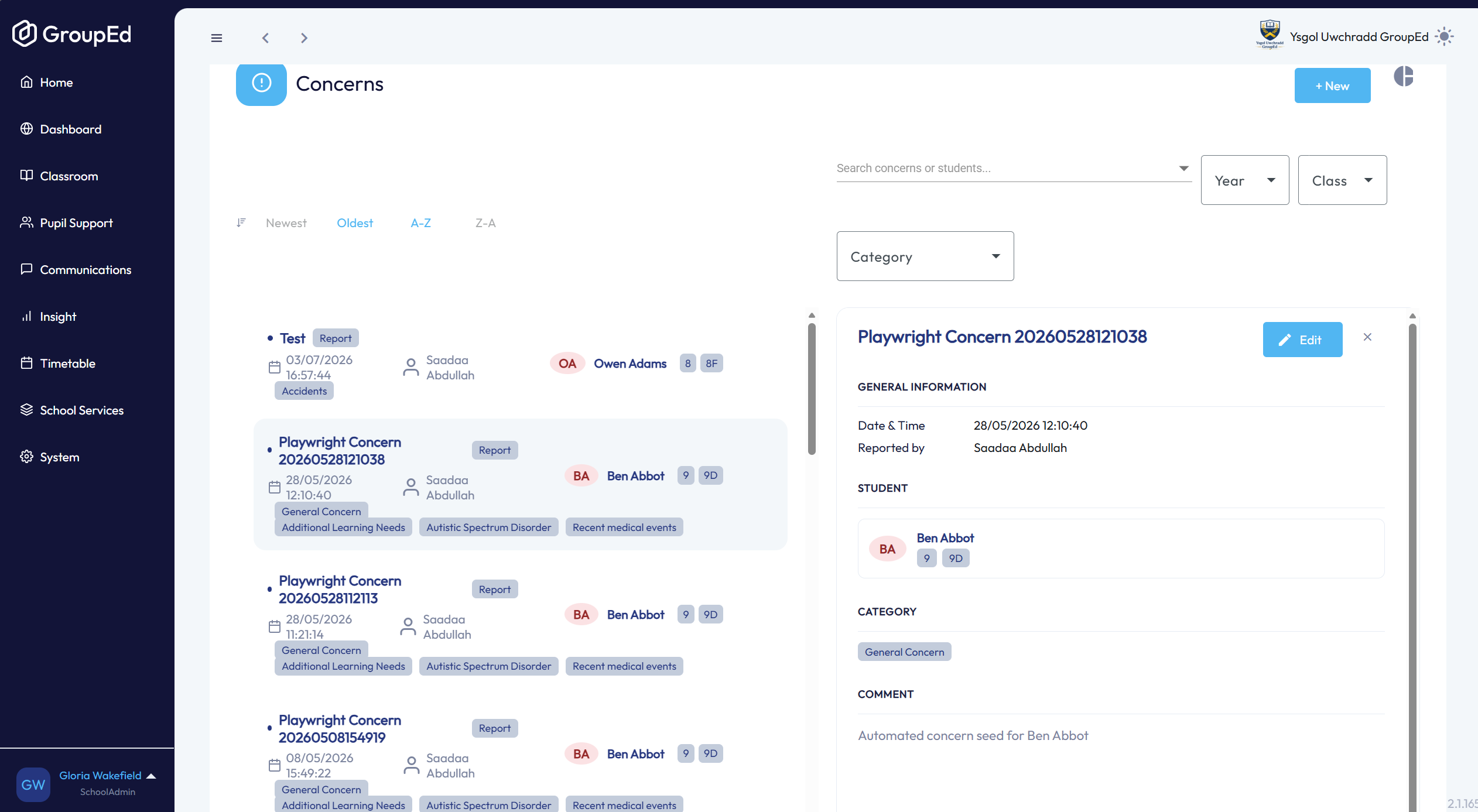
Concerns list showing entries with student name, category, date, and a status indicator
Click any concern to open the full record. From the detail view you can:
Read the full description.
Add notes or updates to record actions taken.
View the concern history and any previous entries for the same student.
Concerns Analytics
Click the Audit Trail tab on the Concerns page to view a history of concerns and trends across the school. This can help identify patterns requiring a systemic response.
Click onto a concern to view in more detail.
Access to concerns data is restricted by staff role. If you cannot see the Concerns section, contact your school administrator to check your permissions.
Was this article helpful?
That’s Great!
Thank you for your feedback
Sorry! We couldn't be helpful
Thank you for your feedback
Feedback sent
We appreciate your effort and will try to fix the article