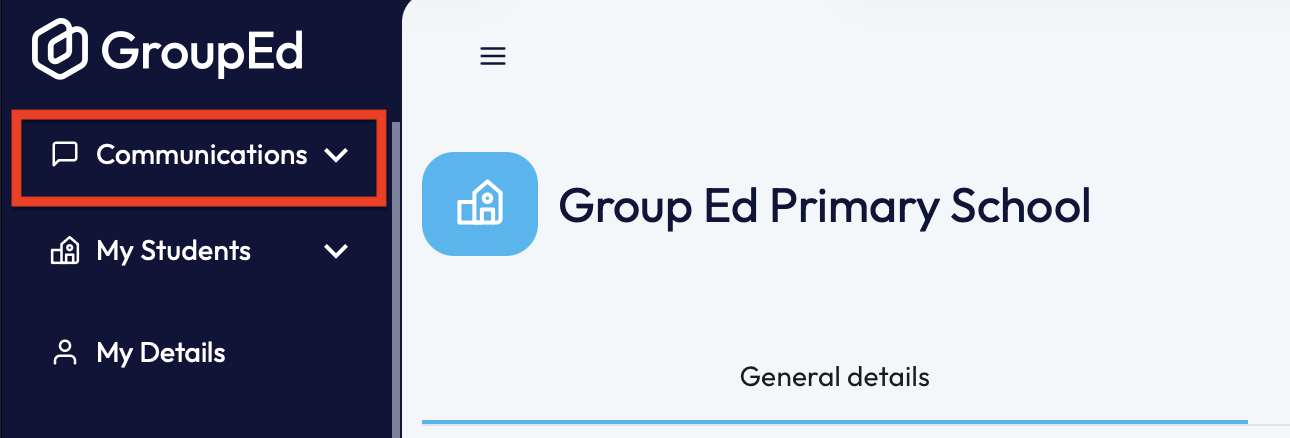
1. To locate yours/the school's messages, you'll first need to navigate to the 'Communications' drop down and then select the heading for 'Messages'.
2. Once on the Messages page, you will automatically be greeted with the School's Message History. Here you will be able to view all previous messages sent and any replies.
Our messaging page allows you to locate all your information in one place, through one of the many headers. 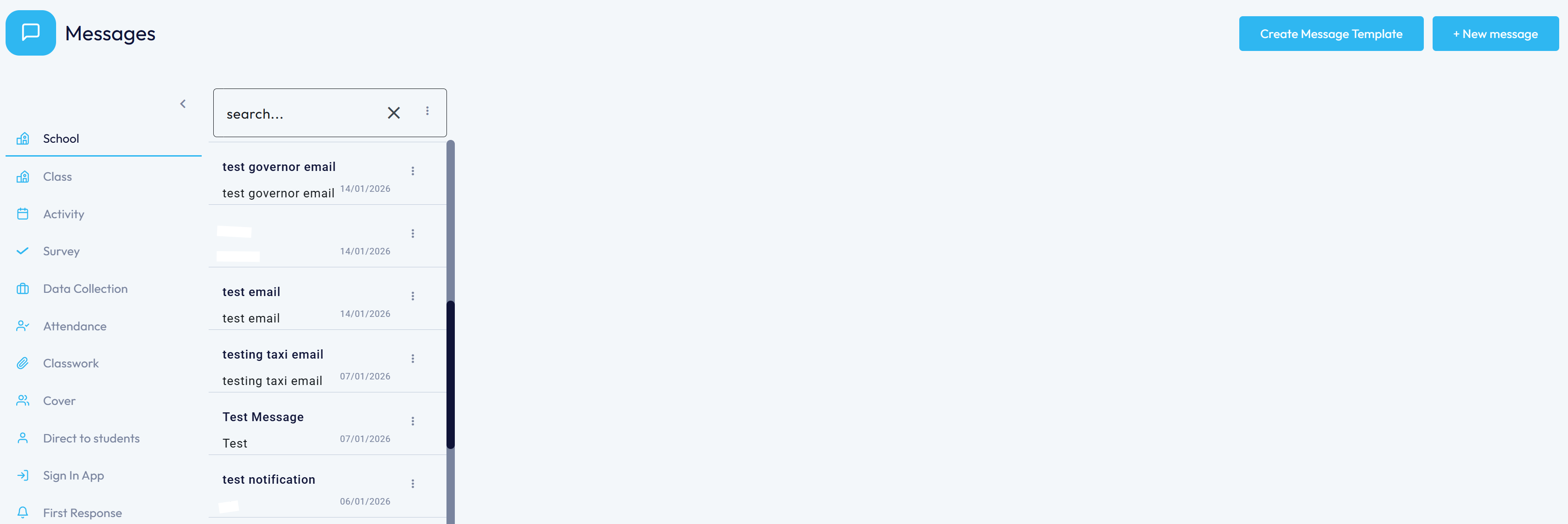
At a default you will be loaded into the School's messages, however if there is any information you're specifically looking for you can navigate between the headings.
Below you will find information about each heading and what data is stored here:
- School: All messages sent within the school (only admins and Headteacher's will see all messages sent)
- Class: Messages sent within a class.
- Activity: any message that has been sent through an activity - this could be an invitation.
- Survey / Data Collection Survey: any messages relating to surveys and the data collection from these.
- Attendance: any messages relating to attendance - usually absence notifications.
- Classwork: messages containing uploads associated to classwork. Allows teachers to upload classwork that can then be shared with parents.
- Cover: For Secondary Schools - allows for messages to be sent between teachers for covering classes.
- Direct to Students: Messages sent directly to students - could be to inform about a club cancellation.
- Sign In App: Messages showing who has signed in/out and when.
This page will also allow you to Create a Message Template and Send Messages. To read more about these topics, please see the articles below:
If you require any further assistance, please contact us by completing this form.
Was this article helpful?
That’s Great!
Thank you for your feedback
Sorry! We couldn't be helpful
Thank you for your feedback
Feedback sent
We appreciate your effort and will try to fix the article