The Engagement section gives you an overview of how well parents and carers are connecting with your school through GroupEd. It shows registration rates, app usage, and communication response data so you can identify where engagement is strong and where parents may need additional support to get started.
Finding the Engagement Section
Navigate to Communications → Engagement from the left-hand menu.
Registration and App Adoption
The top of the Engagement section shows a summary of how many parents and carers have registered for the GroupEd Parent & Carer app:
Registered — the number of parent and carer contacts who have completed registration and can receive messages.
Not registered — contacts who have been invited but have not yet set up their account.
No invite sent — contacts who have not yet been invited to register.
To improve registration rates, you can resend invitations to parents and carers who have not yet signed up. See the Inviting Parents & Carers guide for details.
Message Engagement
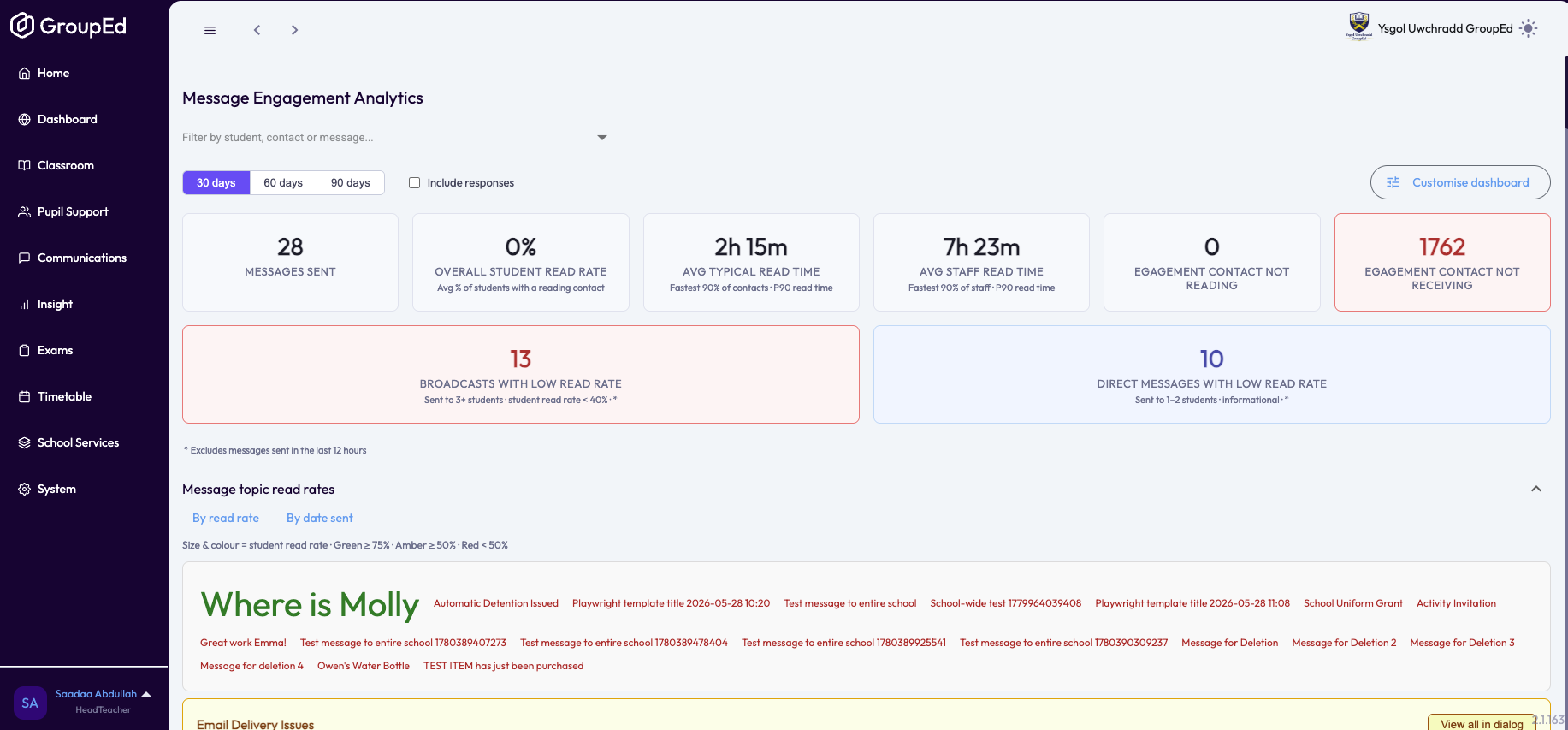
Below the registration summary, you can see message engagement statistics:
Total messages sent — the number of messages your school has sent through GroupEd.
Messages read — the proportion of sent messages that have been opened by recipients.
Average read rate — the percentage of messages read across your school's history.
Survey Responses
The Engagement section also shows a summary of survey activity. You can see how many surveys have been sent and the overall response rate. For detailed per-survey breakdowns — including a count of responses per answer option — open the individual survey from Communications → Messages → Surveys.
High engagement schools typically send a mix of regular messages, announcements, and at least one survey per term to gather parent feedback.
Was this article helpful?
That’s Great!
Thank you for your feedback
Sorry! We couldn't be helpful
Thank you for your feedback
Feedback sent
We appreciate your effort and will try to fix the article