GroupEd can export pupil data in the PLASC (Pupil Level Annual School Census) format required for statutory returns in Wales. The export pulls together student demographics, attendance, exclusion, and ALN data into a file that can be submitted to your local authority.
The PLASC export is a Wales-specific statutory return. Ensure all student records — including ALN status, exclusions, and attendance — are accurate and up to date before generating the export.
Generating the PLASC Export
Navigate to Insight → Census → PLASC from the left-hand menu.
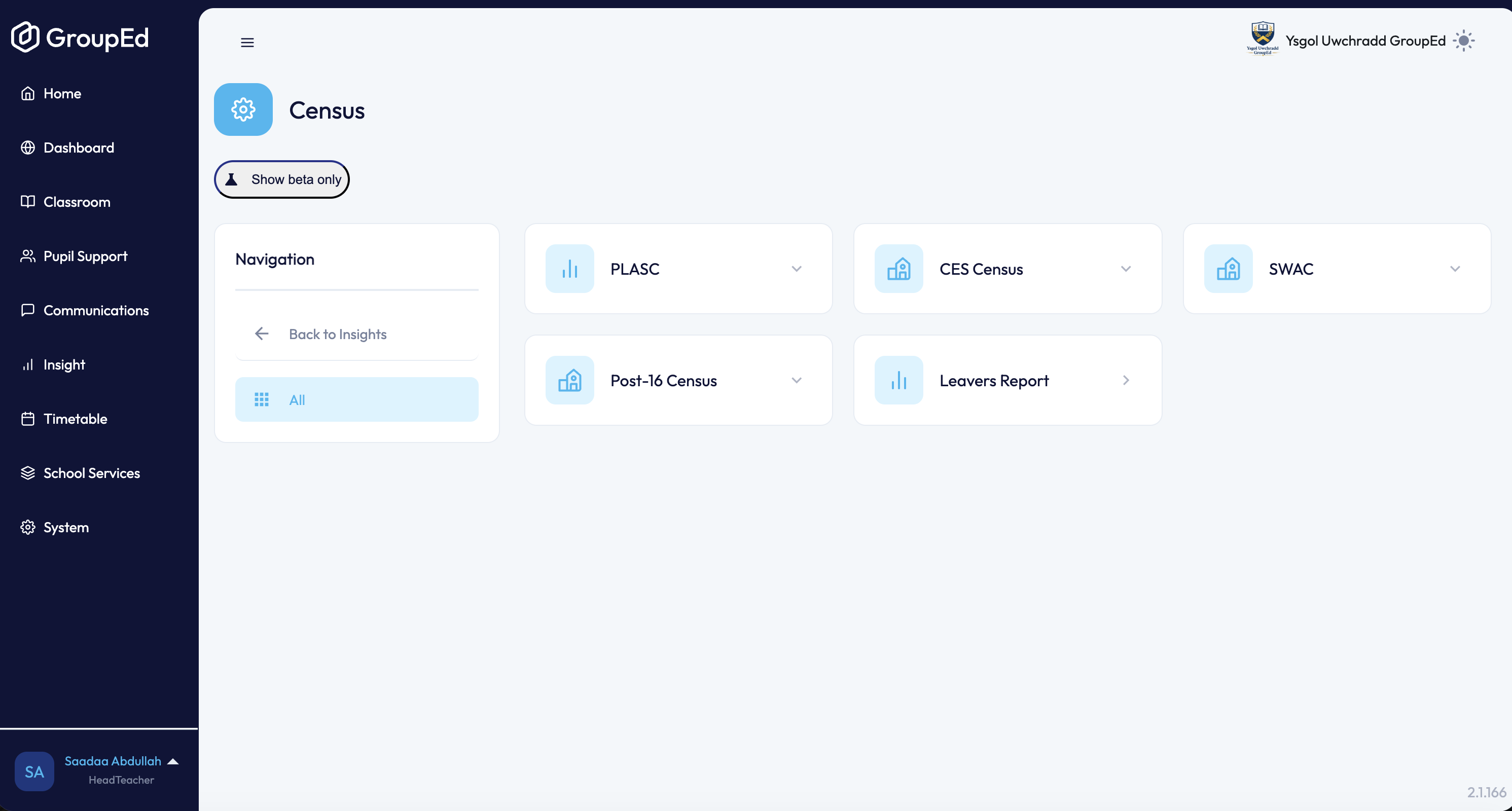
Review the data categories included in the export — these cover pupil demographics, attendance, ALN, and exclusions.
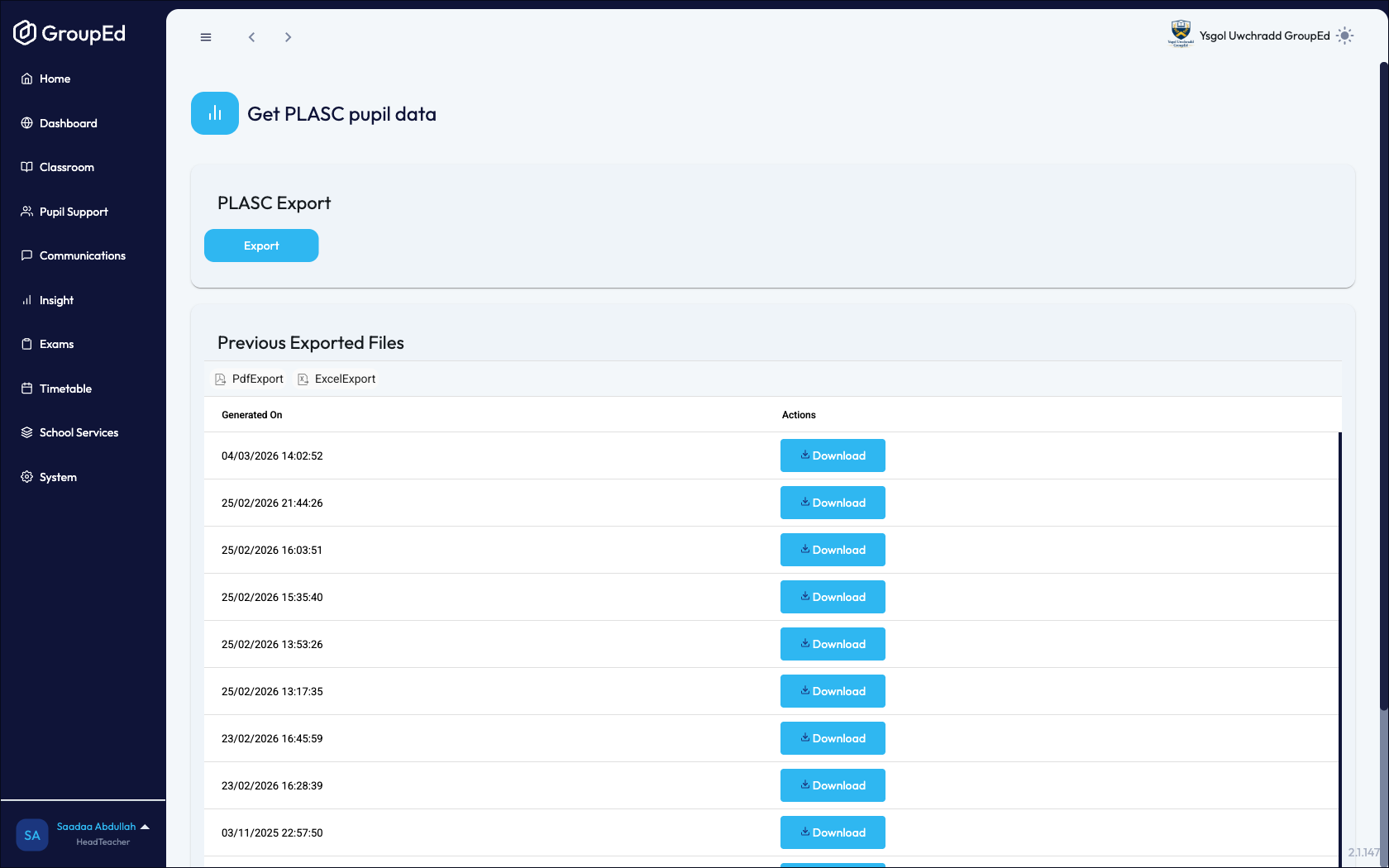
Click Export. GroupEd generates the export file. This may take a moment depending on the size of your school's data.
Once generated, the file appears in the Previous Exported Files list below the Export button.
Downloading a Previous Export
All previously generated PLASC exports are listed in the Previous Exported Files section. Click the download link next to any file to retrieve it.
PLASC exports contain sensitive pupil data. Store downloaded files securely and in accordance with your school's data protection policy.
What Data is Included
The PLASC export includes the following data categories:
Pupil demographics — name, date of birth, gender, ethnicity, home language, and UPN.
Attendance — sessions attended, authorised and unauthorised absences.
Additional Learning Needs — SEN status, need types, and provision type.
Exclusions — fixed-term and permanent exclusion records.
Free School Meals eligibility.
Ensure each category is accurate in GroupEd before generating the census return. Corrections to individual records can be made in the relevant sections — see the ALN, Exclusions, and Attendance guides for details.
Was this article helpful?
That’s Great!
Thank you for your feedback
Sorry! We couldn't be helpful
Thank you for your feedback
Feedback sent
We appreciate your effort and will try to fix the article