If you haven't created an item yet, please follow this guidance first: How to Add Items to the Shop
1. You'll first need to navigate to the 'Shop' section on the left-hand side of your screen.
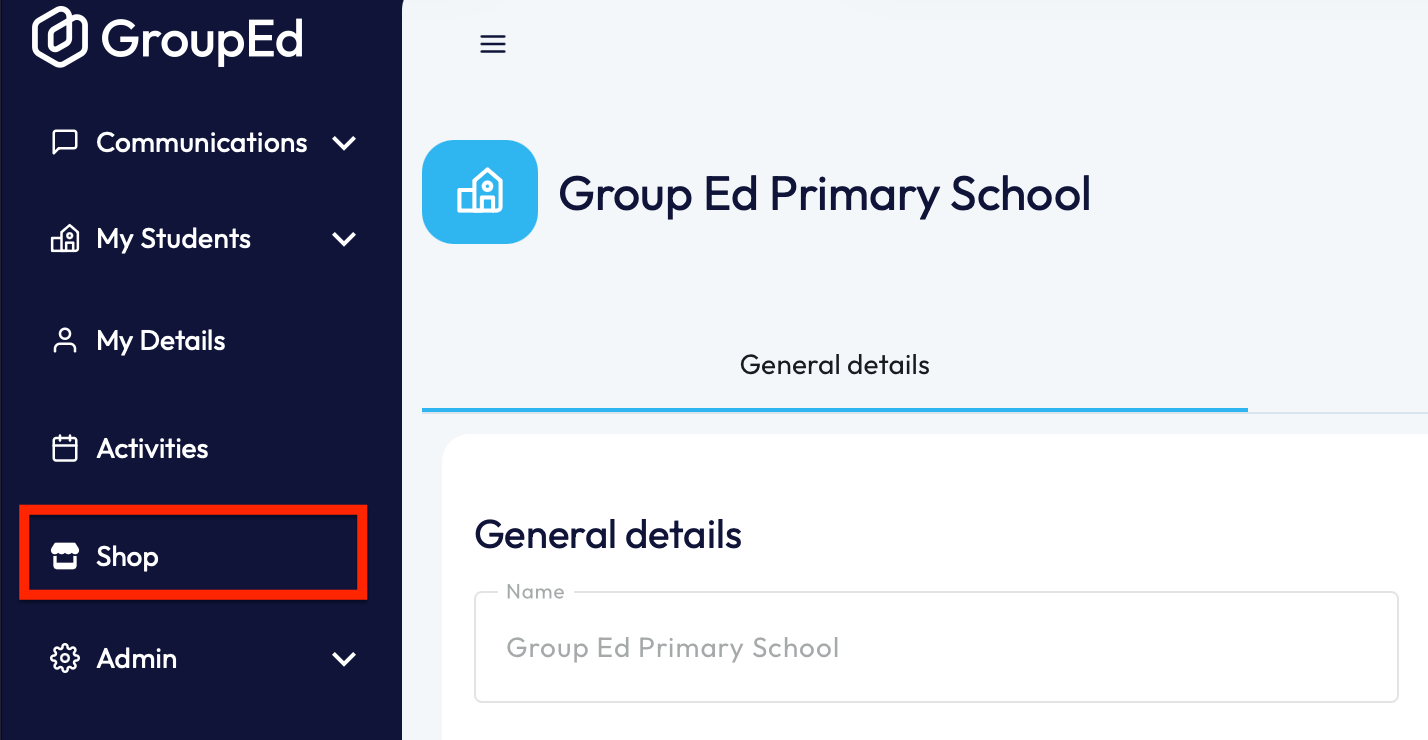
This will open up your shop, showing all the active items that are currently available.
2. To Activate an Item, you'll need to navigate to the 'Inactive Items' section of the Shop.
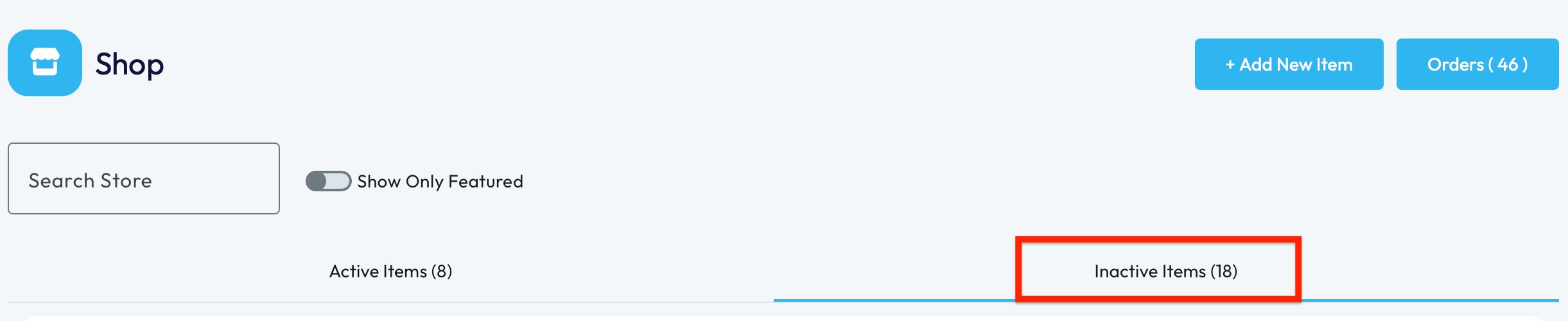
3. Locate the item you'd like to make active and click into it.
4. This will load the page with all details associated to this item, including name, price, description and any custom options.
5. To activate the item, you will need to click the slider 'Active in Store'.
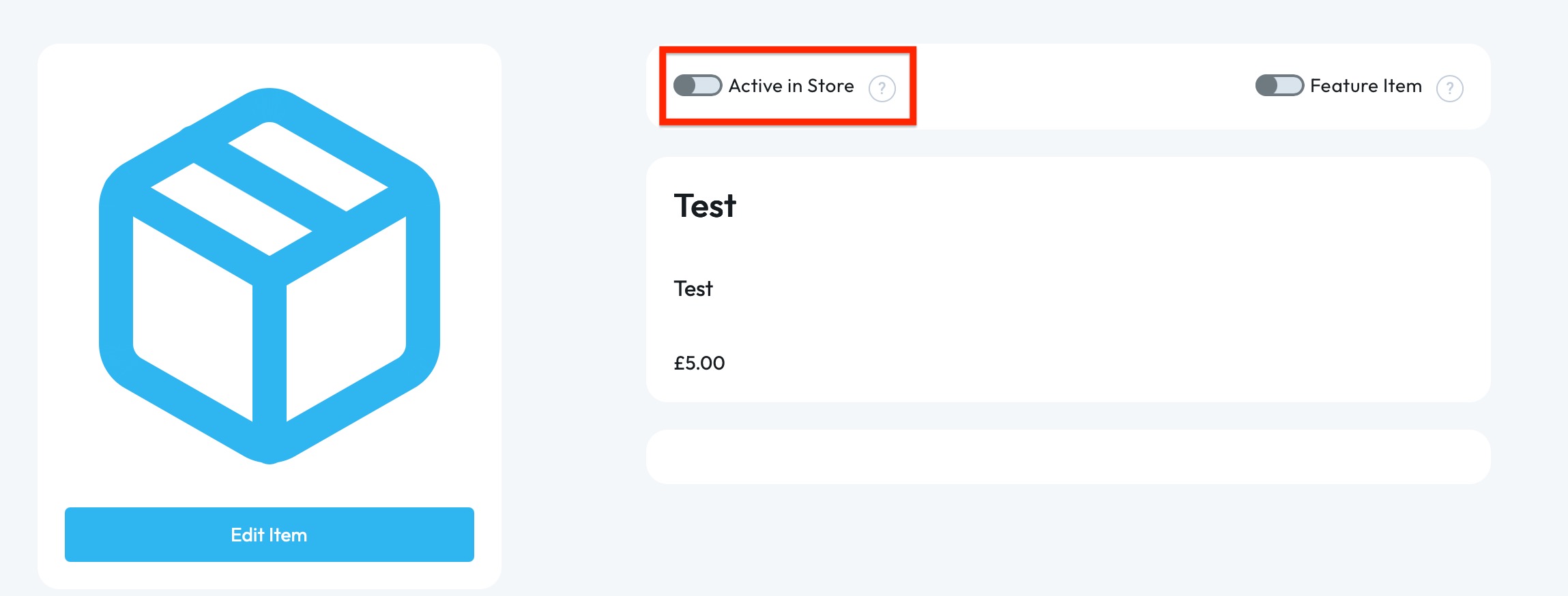
NOTE: You can also edit the item here.
Your item is now active and available to purchase.
If you require any further assistance, please contact us by completing this form
Was this article helpful?
That’s Great!
Thank you for your feedback
Sorry! We couldn't be helpful
Thank you for your feedback
Feedback sent
We appreciate your effort and will try to fix the article