A featured item is an item that appears at the top for parents/carers when they look at the Shop section. Marking an Item as featured could be used to target parents and guardians.
1. You'll first need to navigate to the 'Shop' section on the left-hand side of your screen.
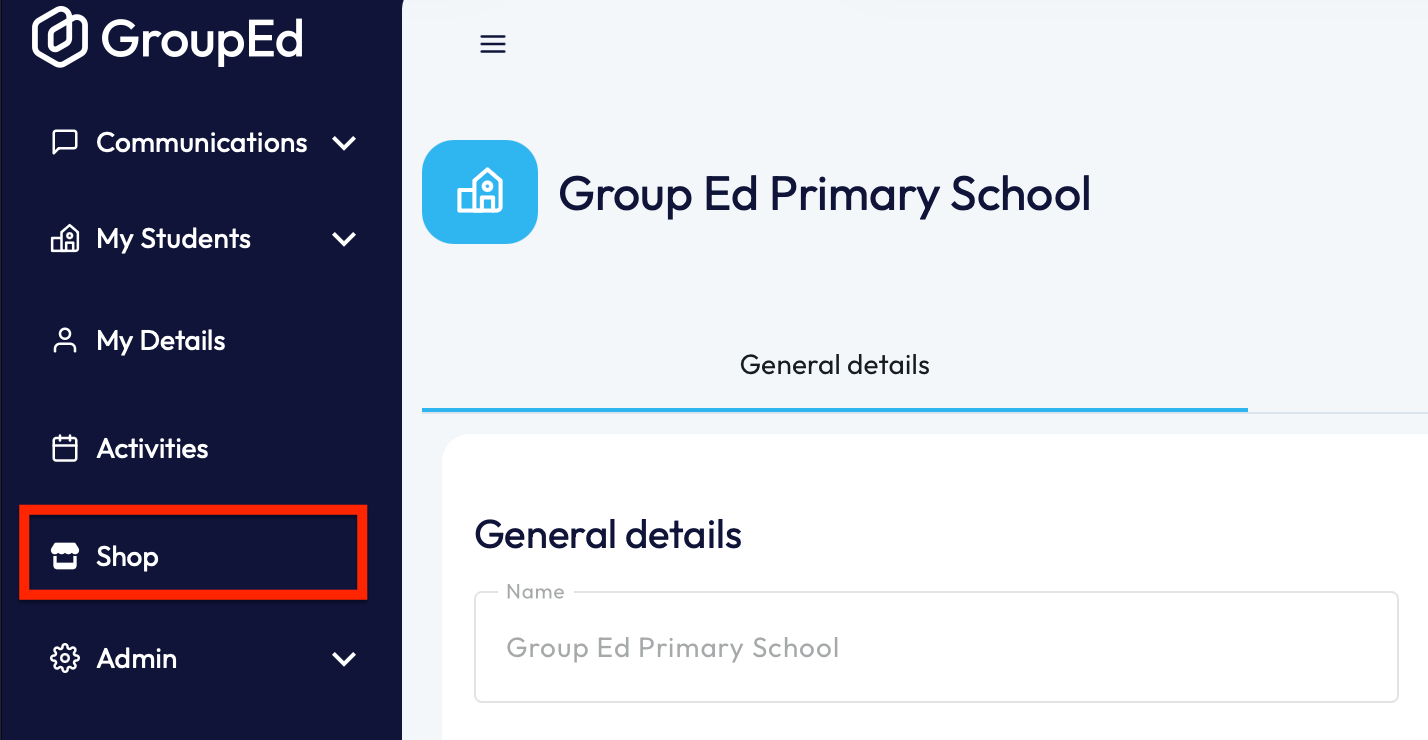
This will open up your shop, showing all the active items that are currently available.
2. You'll now need to scroll down the page to locate your Active Items.
There are two ways you can mark an item as featured:
a. Once you've located the item you'd like to mark as featured, you can click the 'Star' icon on the left-hand side. You'll know it's marked as featured when the Star turns gold. 
b. alternatively, you can click into the item which will load the item details. You now need to click the slider next to 'Feature Item' (it will turn blue once enabled).
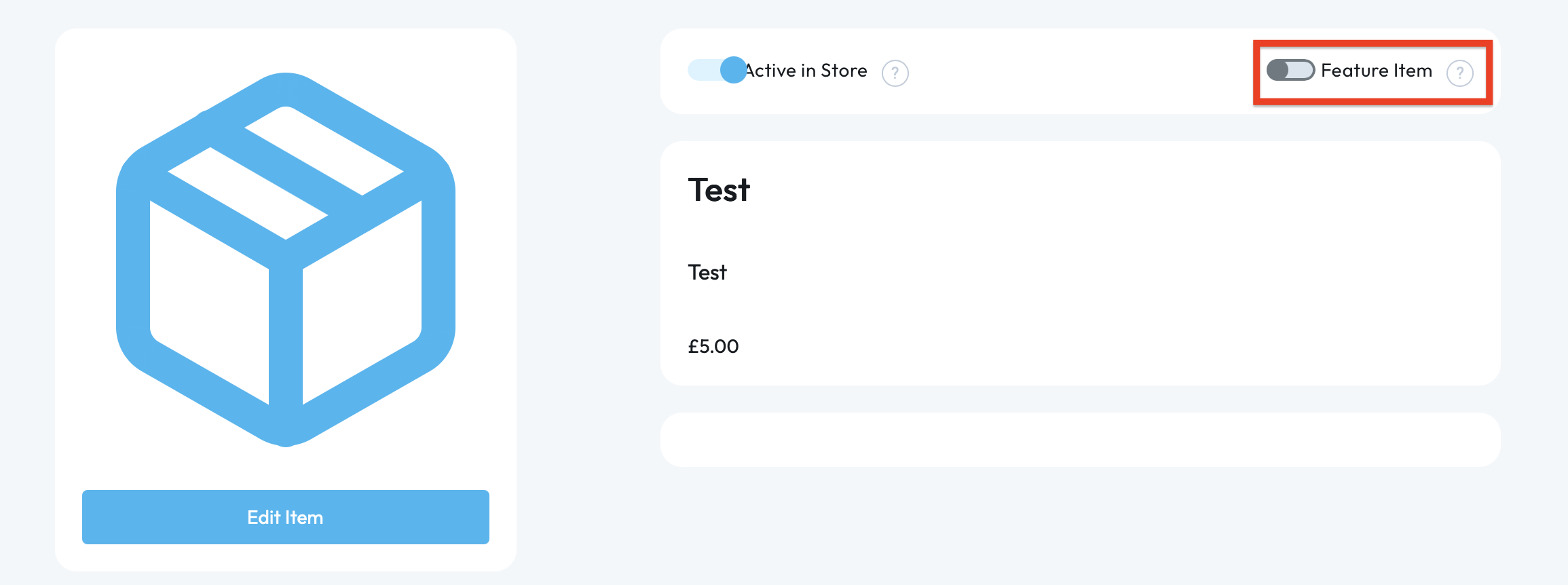
NOTE: For an item to appear as Featured for a parent/guardian, the item will need to be active.
If you require any further assistance, please contact us by completing this form.
Was this article helpful?
That’s Great!
Thank you for your feedback
Sorry! We couldn't be helpful
Thank you for your feedback
Feedback sent
We appreciate your effort and will try to fix the article