To locate a student's contact details, you'll need to follow the below guidance:
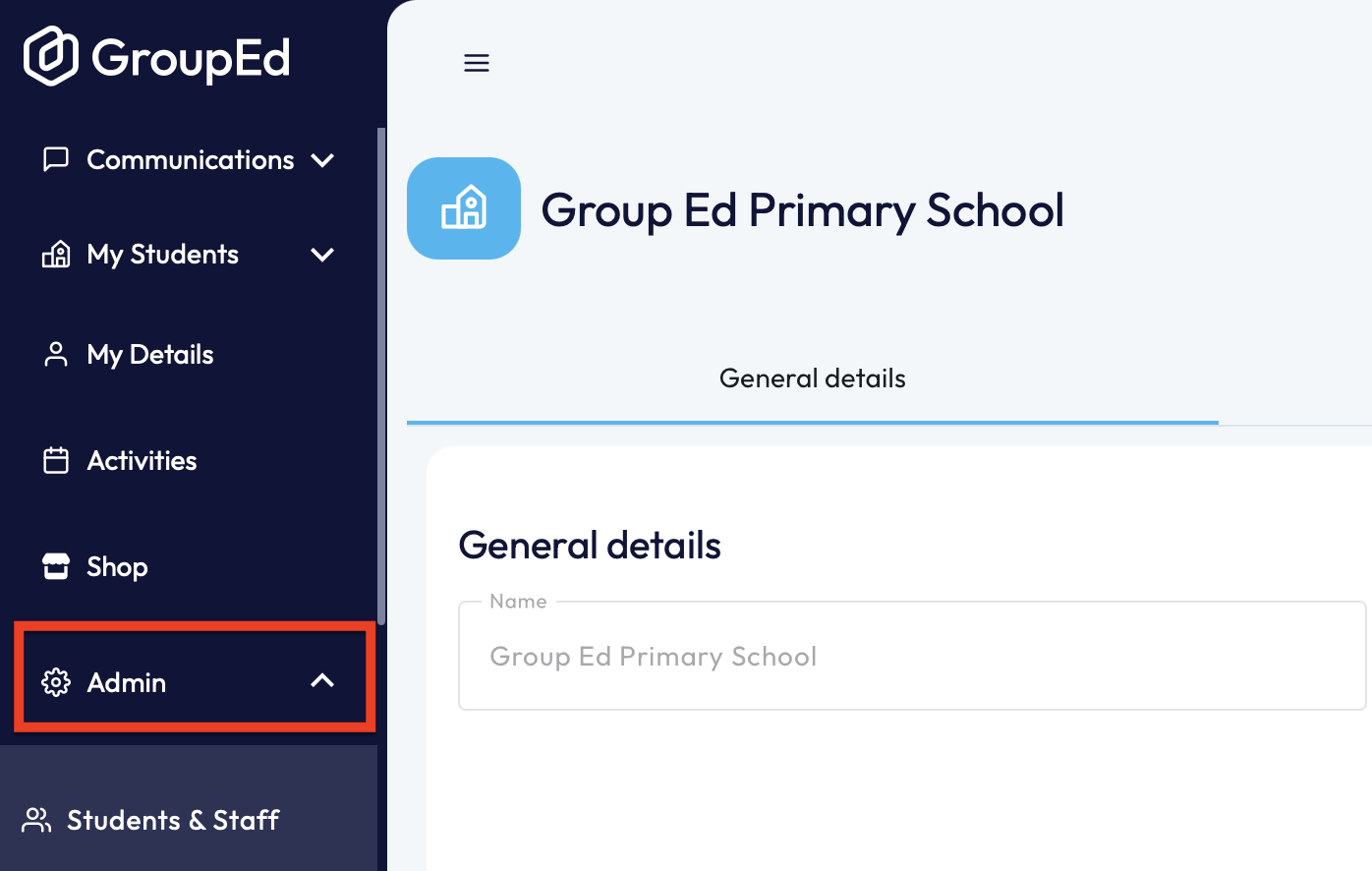
1. Navigate to the left hand side and select the 'Admin' drop down. You'll then need to click 'Students and Staff'.
2. You then need to locate the pupil in question by filtering the data or using the search function provided.
3. You'll now need to click into the student profile to view any information associated to this student, including permissions of the synchronised data and contacts details.
4. To locate the contacts, scroll down to the bottom of the page and they'll be listed on the right-hand side.
5. To view the contacts details you can click on 'Manage', next to the contact names.
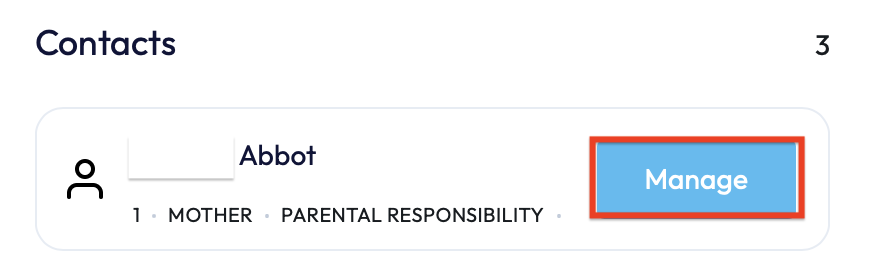 You will now be able to see information relating to the contact, including: relationship to the student, email address and phone number.
If you require any further assistance, please contact us by completing this form.
Was this article helpful?
That’s Great!
Thank you for your feedback
Sorry! We couldn't be helpful
Thank you for your feedback
Feedback sent
We appreciate your effort and will try to fix the article