The 'Activities' Section can be used to set up numerous types of activities including:
- Trips
- Concerts
- Parent's Evenings
- and more!
You can locate this section by navigating to the left-hand side of your screen and selecting Activities. This will populate a page showing the breakdown's of the status of your activities:
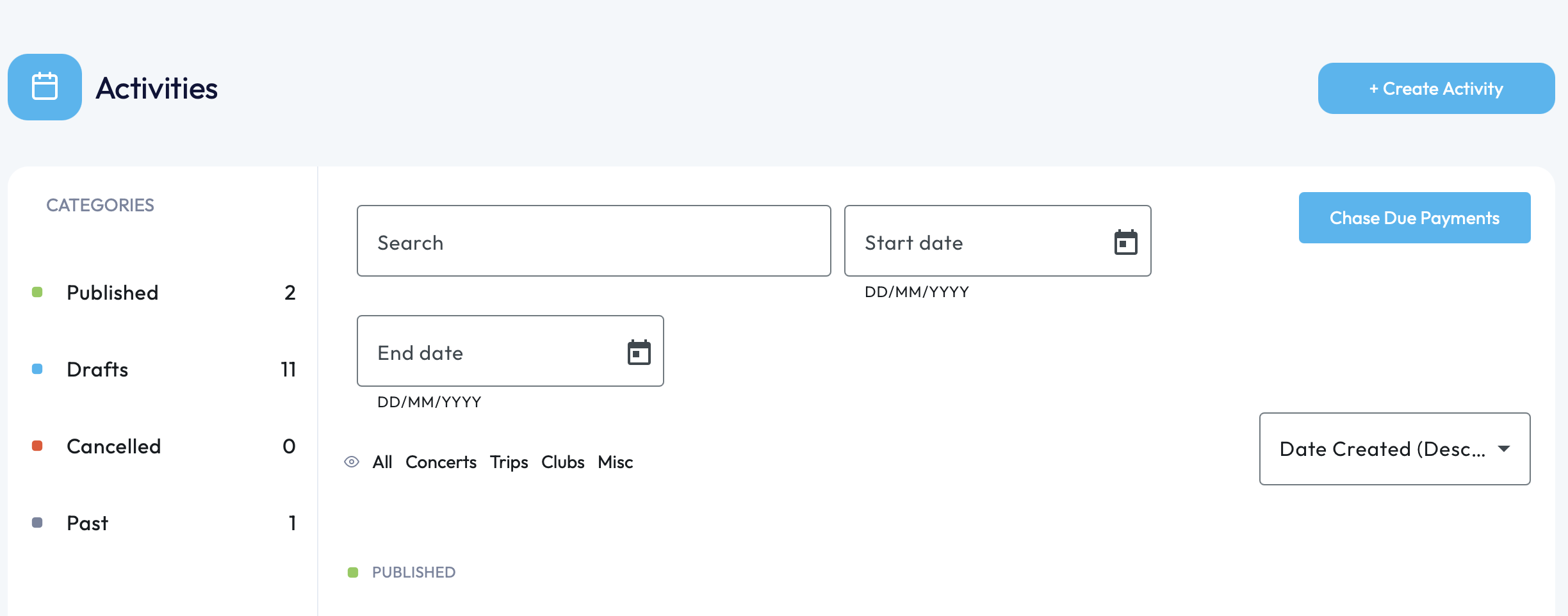
From here, you will be able to view any previously published, recent, draft, cancelled or past activities which have been created.
Published - Activities which are live/active.
Draft - Activities which have yet to be published.
Cancelled - Activities no longer needed/removed from published.
Past - Any previously live activities which have now passed the date of the activity.
On this page you will be able to locate any activity in any category by using the search function at the top.
This main page will allow you to create activities, chase overdue payments for any activity and view any activity that's been created.
To 'Create Activity', you can navigate to the top right-hand corner of your screen. To read more about creating activities, please see the following links:
- Creating a Concert
- Creating a School Trip
- Creating a Club
- Creating a Parent's Evening
- Creating a Misc Activity
The above links will explain step by step on how to set up these kinds of activities.
If you require any further assistance, please contact us by completing this form.
Was this article helpful?
That’s Great!
Thank you for your feedback
Sorry! We couldn't be helpful
Thank you for your feedback
Feedback sent
We appreciate your effort and will try to fix the article